
Info alert:Important Notice
The Open Data Hub documentation and the opendatahub-documentation repository are archived as of March 2026. To see the latest documentation, go to: Red Hat OpenShift AI Self-Managed documentation.
Upgrade Installation(v2.0,2.1->v2.2)
disclaimer
Version 2.2 represents an alpha release, exclusively accessible via the "fast" channel. Subsequent releases will transition to the "fast" channel once the new operator attains greater stability.
For installation steps of the old (version 1.X, stable), see quick installation of the 1.X version.
For installation steps of the old (version 2.0, 2.1, fast), see quick installation of the 2.X version.
Pre-requisites
Below information is only appliable for Open Data Hub Operator v2.0.0 and forth release.
Installing Open Data Hub requires OpenShift Container Platform version 4.10+. All screenshots and instructions are from OpenShift 4.12. For the purposes of this quick start, we used try.openshift.com on AWS.
Tutorials will require an OpenShift cluster with a minimum of 16 CPUS and 32GB of memory across all OpenShift worker nodes.
Installing v2.2 Open Data Hub Operator
The Open Data Hub operator is available for deployment in the OpenShift OperatorHub as a Community Operators. You can install it from the OpenShift web console by following the steps below:
-
From the OpenShift web console, log in as a user with
cluster-adminprivileges. For a developer installation from try.openshift.com, thekubeadminuser will work.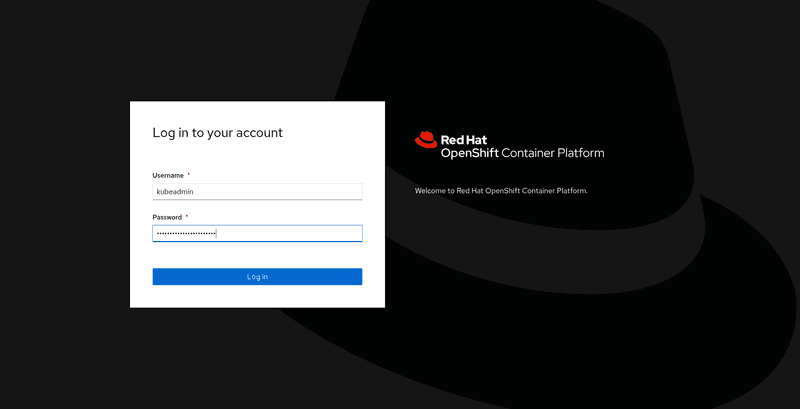
-
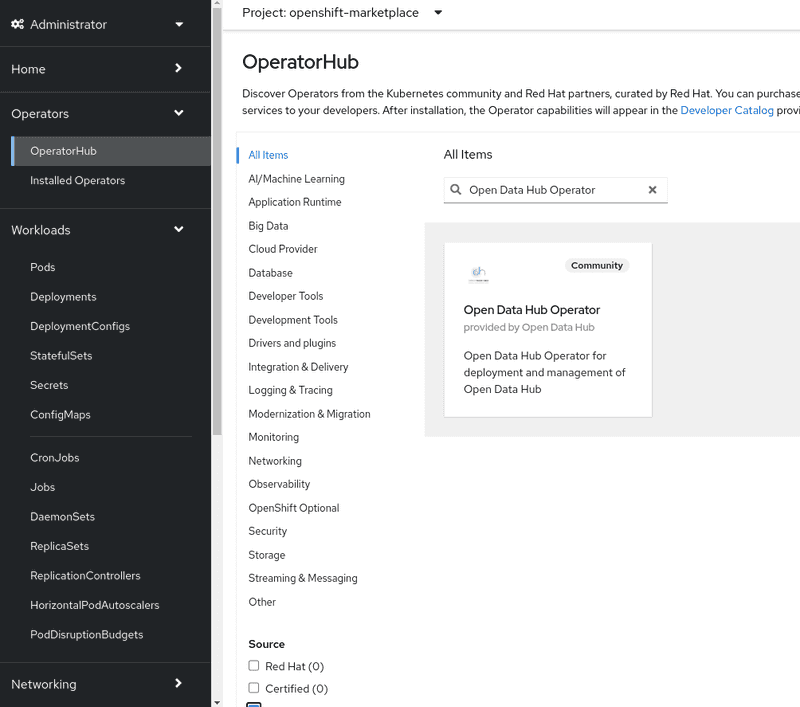
On the lefthand bar, from
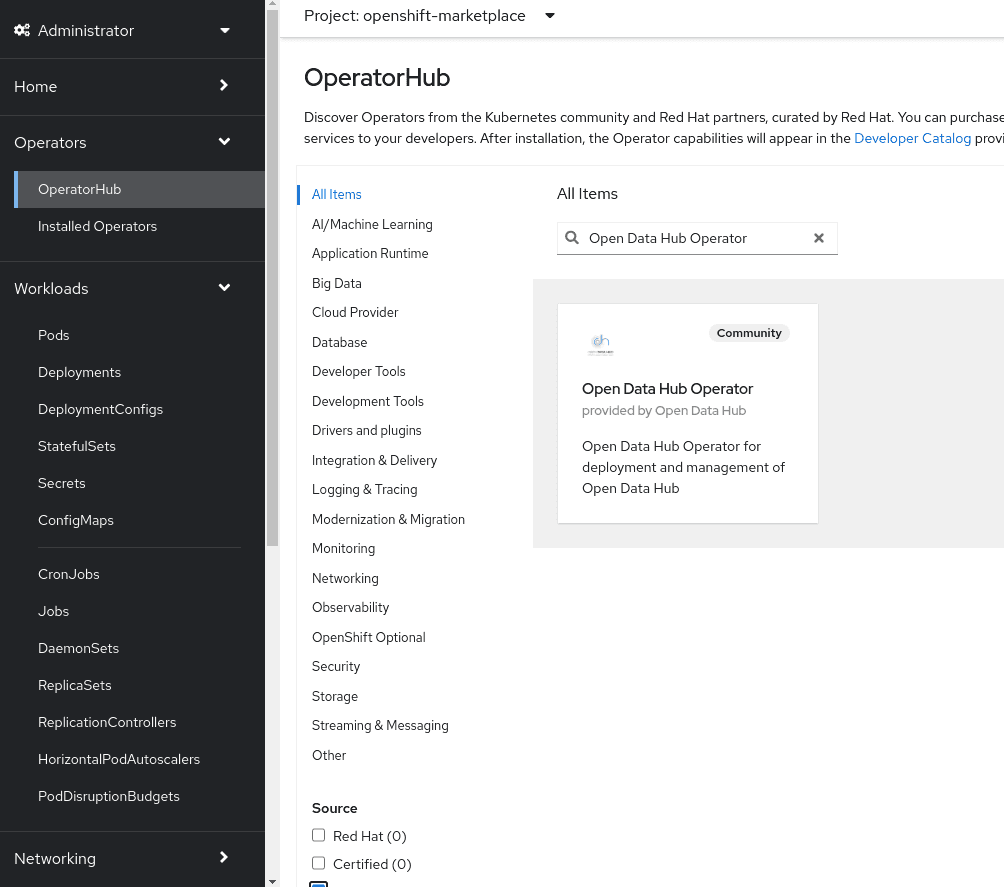
Operators->OperatorHub,- filter for
Open Data Hub Operator. - select
AI/Machine Learningand look for the icon forOpen Data Hub Operator.
- filter for
-
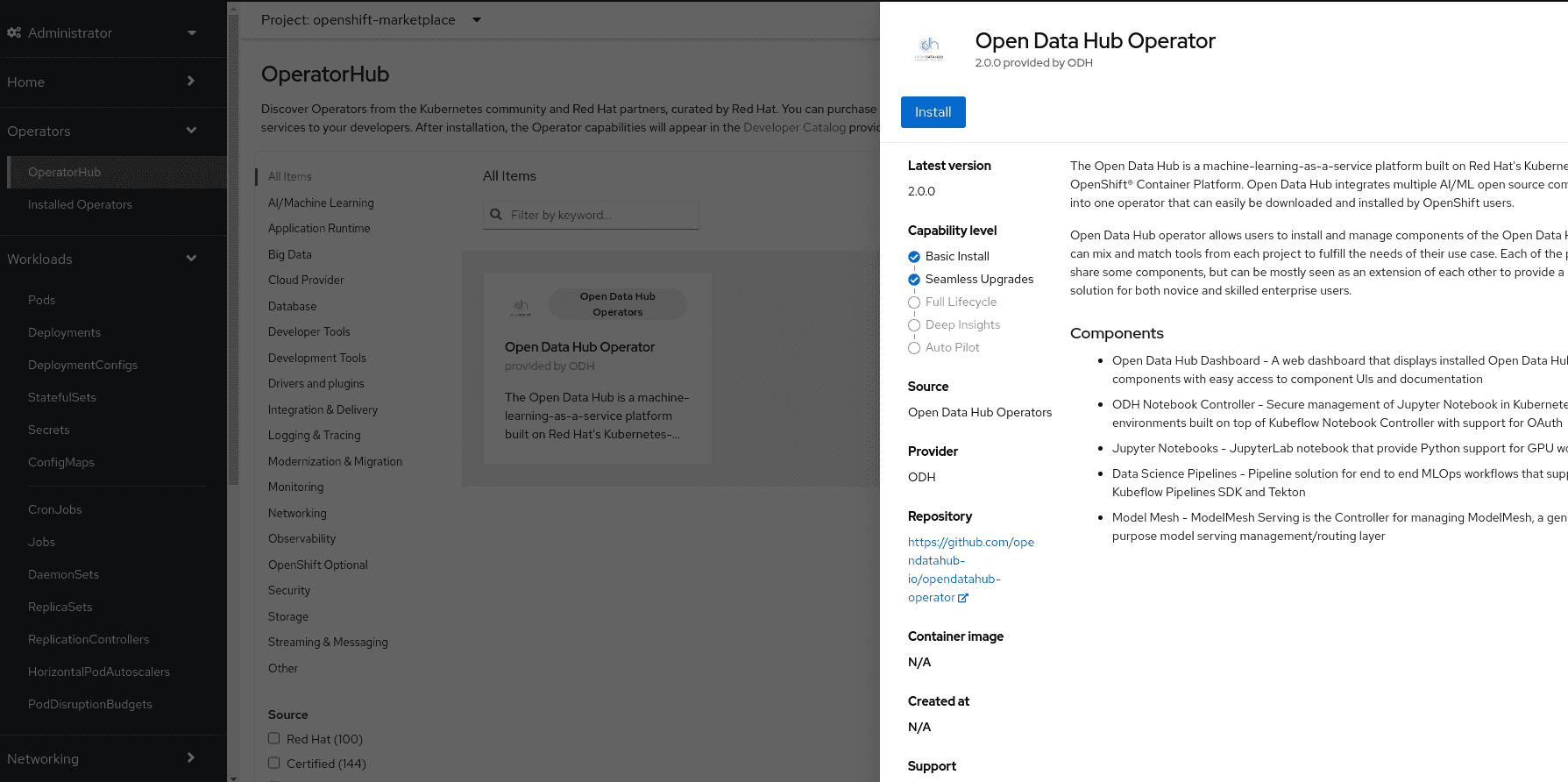
Click
Continuein the "Show community Operator" dialog if it pops out. Click theInstallbutton to install the Open Data Hub operator.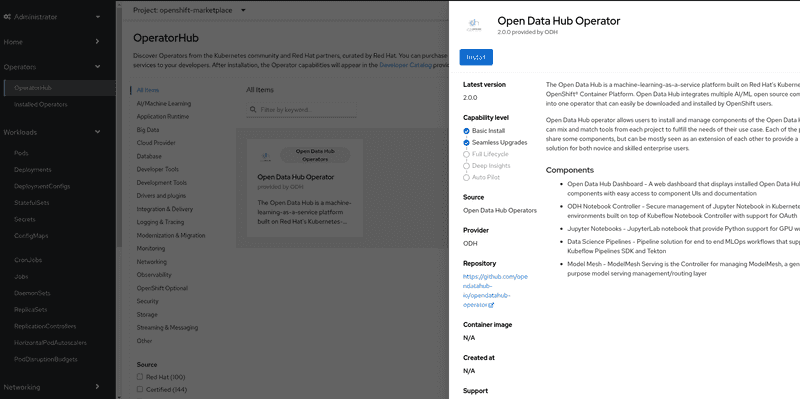
-
The subscription creation view will offer a few options including
Update Channel, make sure thefastchannel is selected. ClickInstallto deploy the opendatahub operator into theopenshift-operatorsnamespace.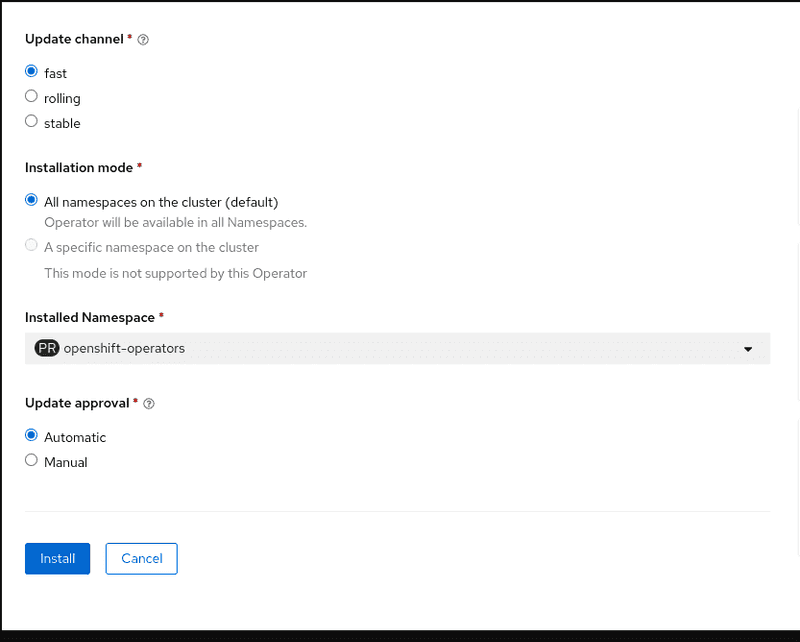
-
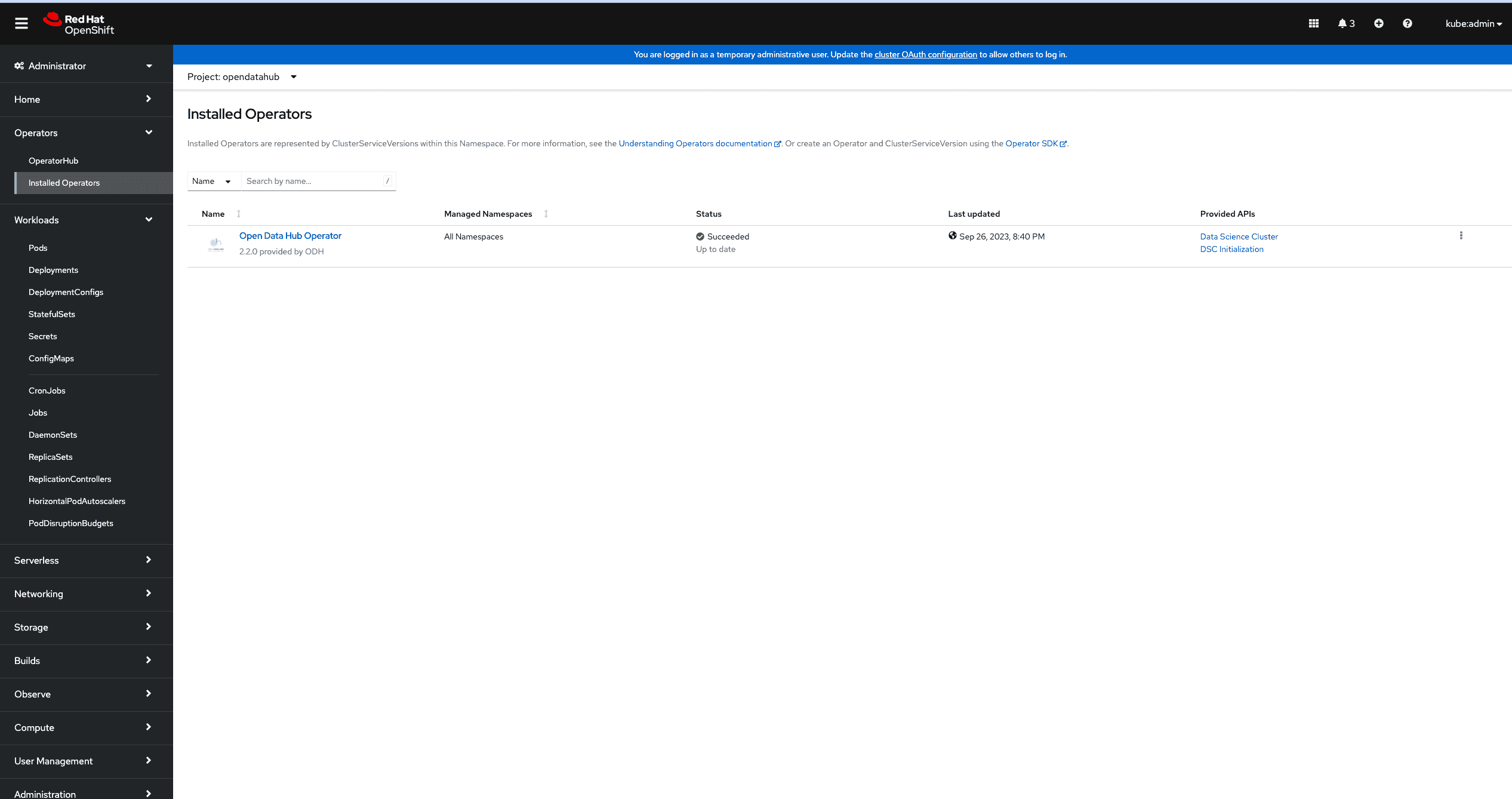
To view the status of the Open Data Hub operator installation, find the Open Data Hub Operator under
Operators->Installed Operators. It might take a couple of minutes to show, but once theStatusfield displaysSucceeded, you can proceed to create a DataScienceCluster instance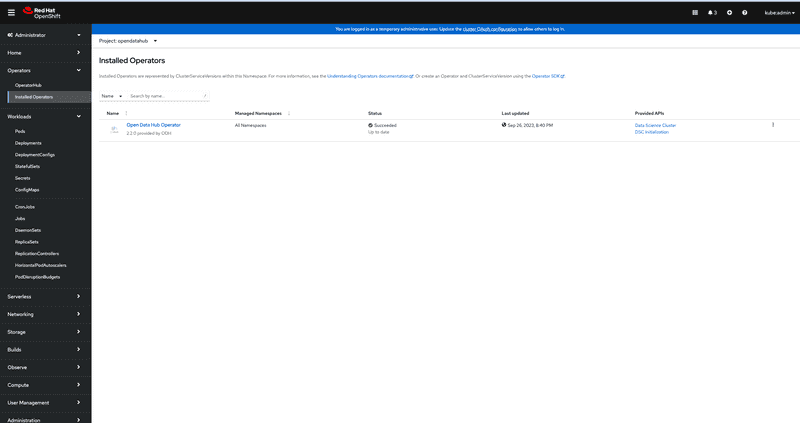
-
[Optional] To customize the "applications namespace", update the "default"
DSCInitializationinstance from either "Form view" or "YAML view", see screenshot for example: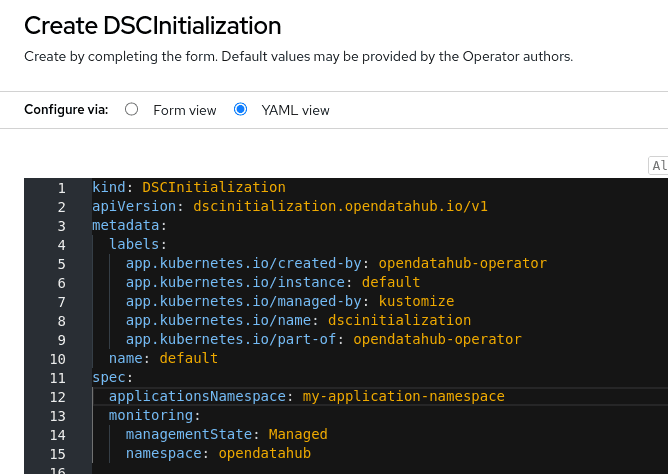

Create a DataScienceCluster instance
-
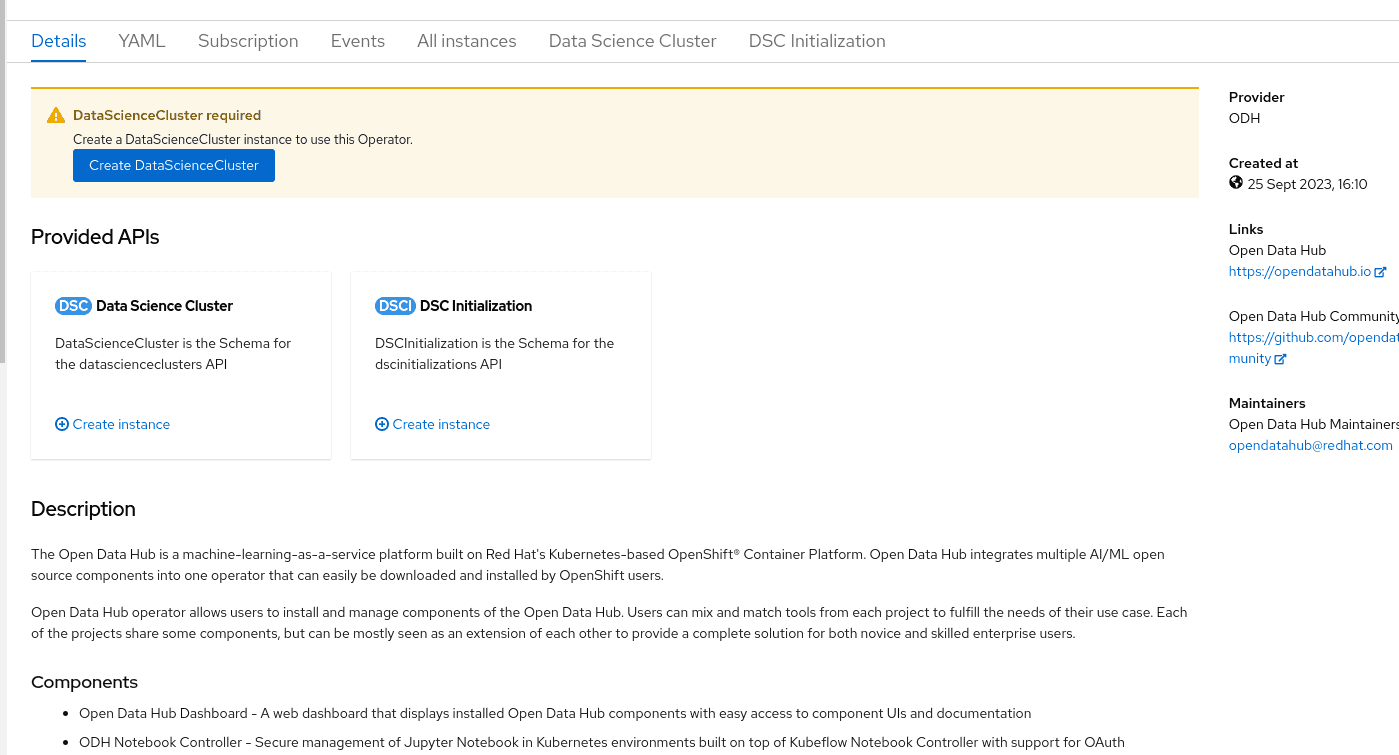
Click on the
Open Data Hub OperatorfromInstalled Operatorspage to bring up the details for the version that is currently installed.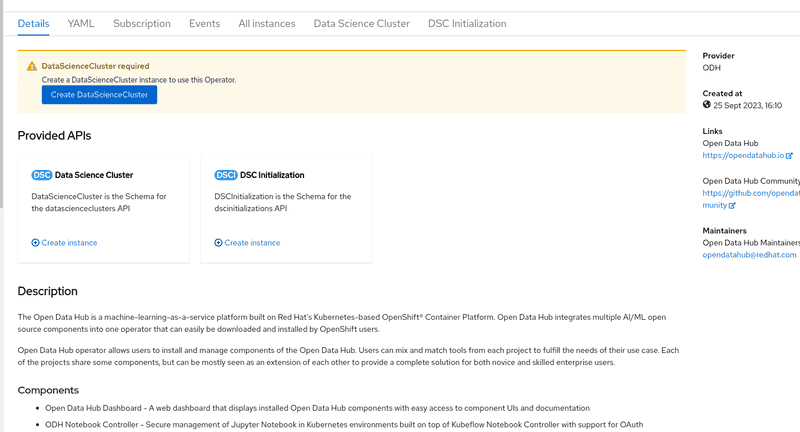
-
Two ways to create DataScienceCluster instance:
- Click
Create DataScienceClusterbutton from the top warning dialogDataScienceCluster required(Create a DataScienceCluster instance to use this Operator.) - Click tab
Data Science Clusterthen clickCreate DataScienceClusterbutton
They both lead to a new view called "Create DataScienceCluster". By default, namespace/project
opendatahubis used to host all applications. - Click
-
In the view of "Create DataScienceCluster", user can create DataScienceCluster instance in two ways with
componentsfields.-
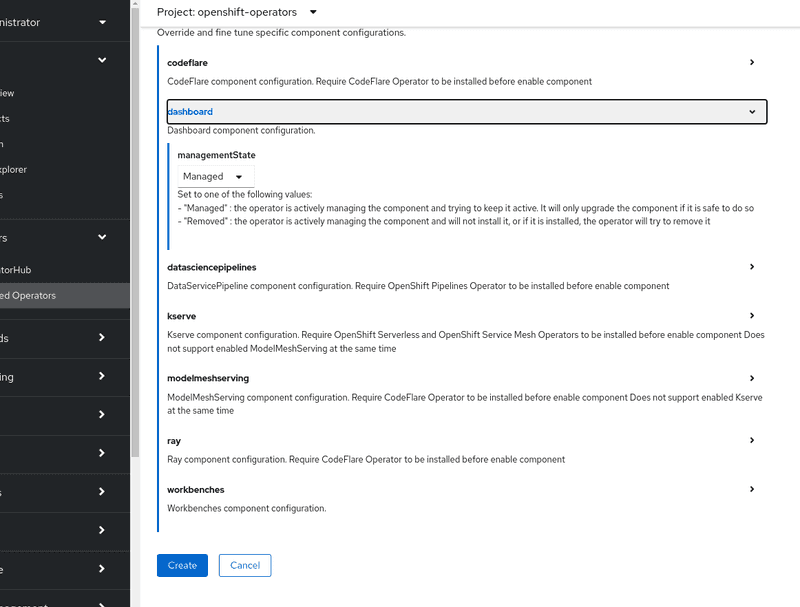
Configure via "Form view":
- fill in
Namefield - in the
componentssection, by clicking>it expands currently supported core components. Check the set of components enabled by default and tick/untick the box in each component section to tailor the selection.
- fill in
-
Configure via "YAML view":
- write config in YAML format
- get detail schema by expanding righthand sidebar
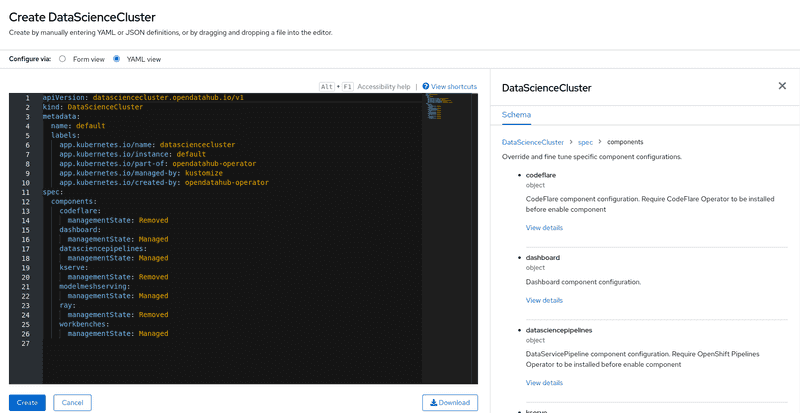
- read ODH Core components to get the full list of supported components
-
-
Click
Createbutton to finalize creation process in seconds. -
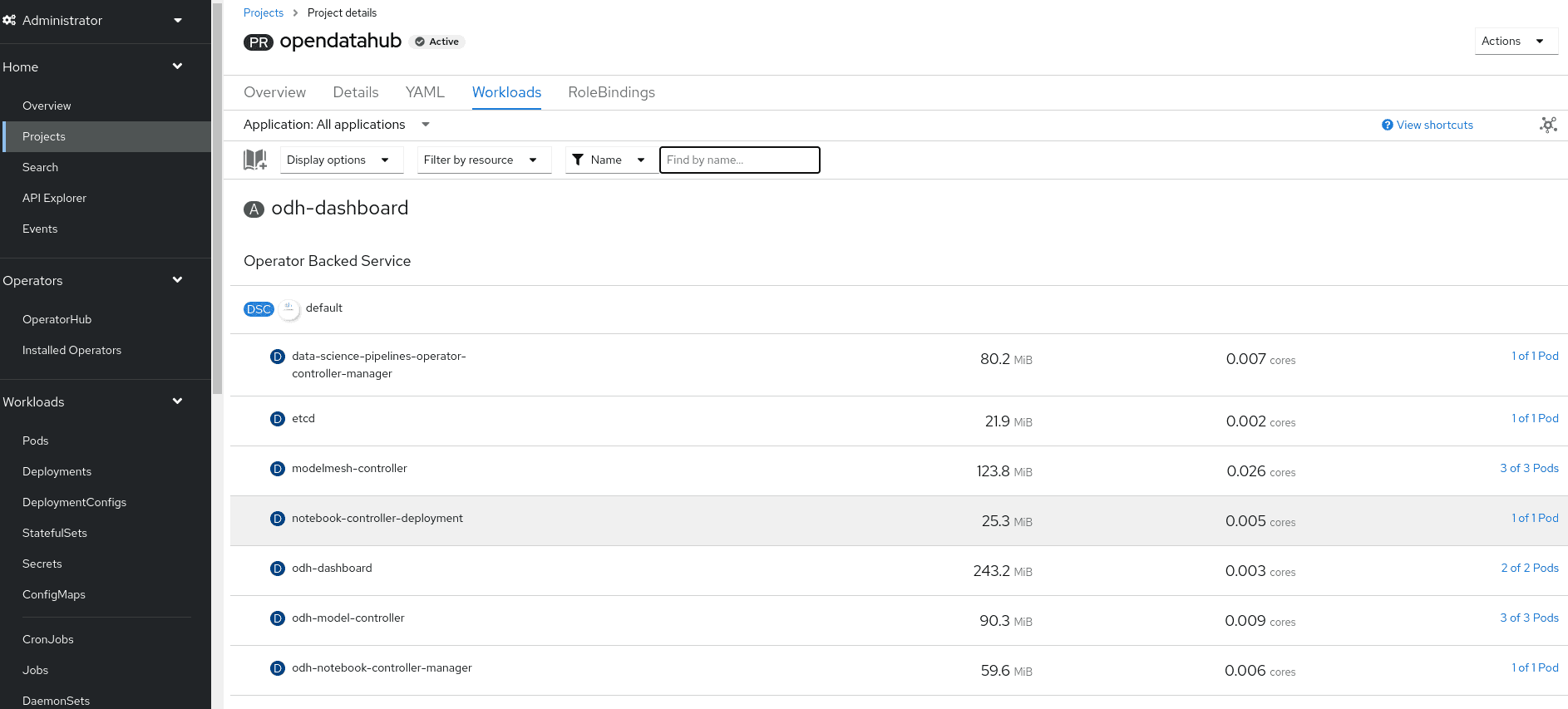
Verify the installation by viewing the project workload. Click
HomethenProjects, select "opendatahub" project, in theWorkloadstab to view enabled compoenents. These should be running.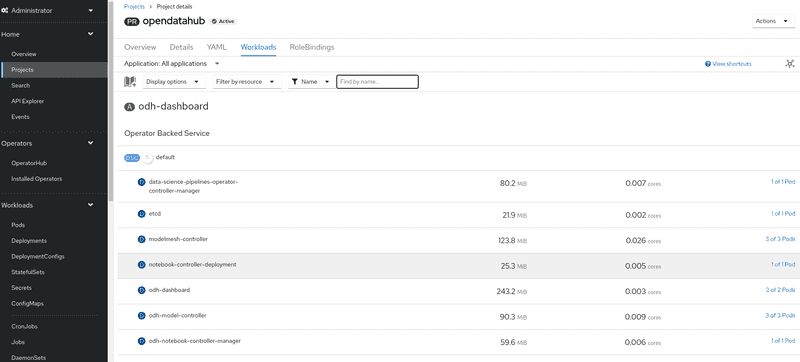


Dependencies
-
to use "kserve" component, users are required to install two operators via OperatorHub before enable it in DataScienceCluster CR
- Red Hat OpenShift Serverless Operator from "Red Hat" catalog.
- Red Hat OpenShift Service Mesh Operator from "Red Hat" catalog.
-
to use "datasciencepipeline" component, users are required to install one operator via OperatorHub before enable it in DataScienceCluster CR
- Red Hat OpenShift Pipelines Operator from "Red Hat" catalog.
-
to use "distributedworkloads" component, users are required to install one operator via OperatorHub before enable it in DataScienceCluster CR
- CodeFlare Operator from "Community" catalog.
-
to use "modelmesh" component, users are required to install one operator via OperatorHub before enable it in DataScienceCluster CR
- Prometheus Operator from "Community" catalog.
Limitation
We offer a feature that allows users to configure the namespace for their application. By default, the ODH operator utilizes the opendatahub namespace. However, users have the flexibility to opt for a different namespace of their choice. This can be accomplished by modifying the DSCInitialization instance with the .spec.applicationsNamespace field.
There are two scenarios in which this feature can be utilized:
- Assigning a New Namespace: Users can set a new namespace using
DSCInitializationinstance before creating theDataScienceClusterinstance. - Switching to a New Namespace: Users have the option to switch to a new namespace after resources have already been established in the application's current namespace. It's important to note that in this scenario, only specific resources (such as deployments, configmaps, networkpolicies, roles, rolebindings, secrets etc) will be removed from the old application namespace during cleanup. For namespace-scoped CRD instances, users will be responsible to cleanup themselves.
Upgrade from v2.0/v2.1 to v2.2 and forth release
Cleanup resource in cluster
To upgrade, follow these steps:
- Disable the component(s) in your DataScienceCluster instance.
- Delete both the DataScienceCluster instance and DSCInitialization instance.
- Click "uninstall" Open Data Hub operator.
- Delete 2 CRD
- Click
AdministrationthenCustomResourceDefinitions, search forDSCInitialization - Under
Latest versioncolumn, if showsv1alpha1, click "Edit" button(3 dots) on the right, andDelete CustomResourceDefinition - Repeat the same procedure on
DataScienceCluster
- Click
After completing these steps, please refer to the installation guide to proceed with a clean installation of the v2.2+ operator.
API change
-
when create or update DataScienceCluster instance, API version has been upgraded from
v1alpha1tov1-
schema in
v1alpha1API to enabled each component:.spec.components.[component_name].enabled: trueto disable each component:.spec.components.[component_name].enabled: false -
schema in
v1API to enabled each component:.spec.components.[component_name].managementState: Managedto disable each component:.spec.components.[component_name].managementState: Removed
Example for default DataScienceCluster instance in v2.2
apiVersion: datasciencecluster.opendatahub.io/v1 kind: DataScienceCluster metadata: name: default spec: components: codeflare: managementState: Removed dashboard: managementState: Managed datasciencepipelines: managementState: Managed kserve: managementState: Removed modelmeshserving: managementState: Managed ray: managementState: Removed workbenches: managementState: Managed -